Norsk

The most common mistake on a new business website isn't the design. It's a home page that tries to say everything and a services page that says almost nothing.
People don't come to your website to get to know the business. They come with one question: can you help me with this, and what do I do to make it happen? Each page has one job in that answer. If every page does its job, you need fewer pages than you think.
The example below is Lunvik Bygg, a fictional carpentry firm in Asker and Bærum that we use to show what Sitekit does. The firm doesn't exist, but the pages do.
Five pages are enough for most
- Home page: what you do, where you do it and what the customer should do now.
- One page per service: what people search for.
- About us: who the customer meets at the door or hears on the phone.
- Contact: phone, email, address, opening hours and a form.
- Privacy: what happens to the details people send you.
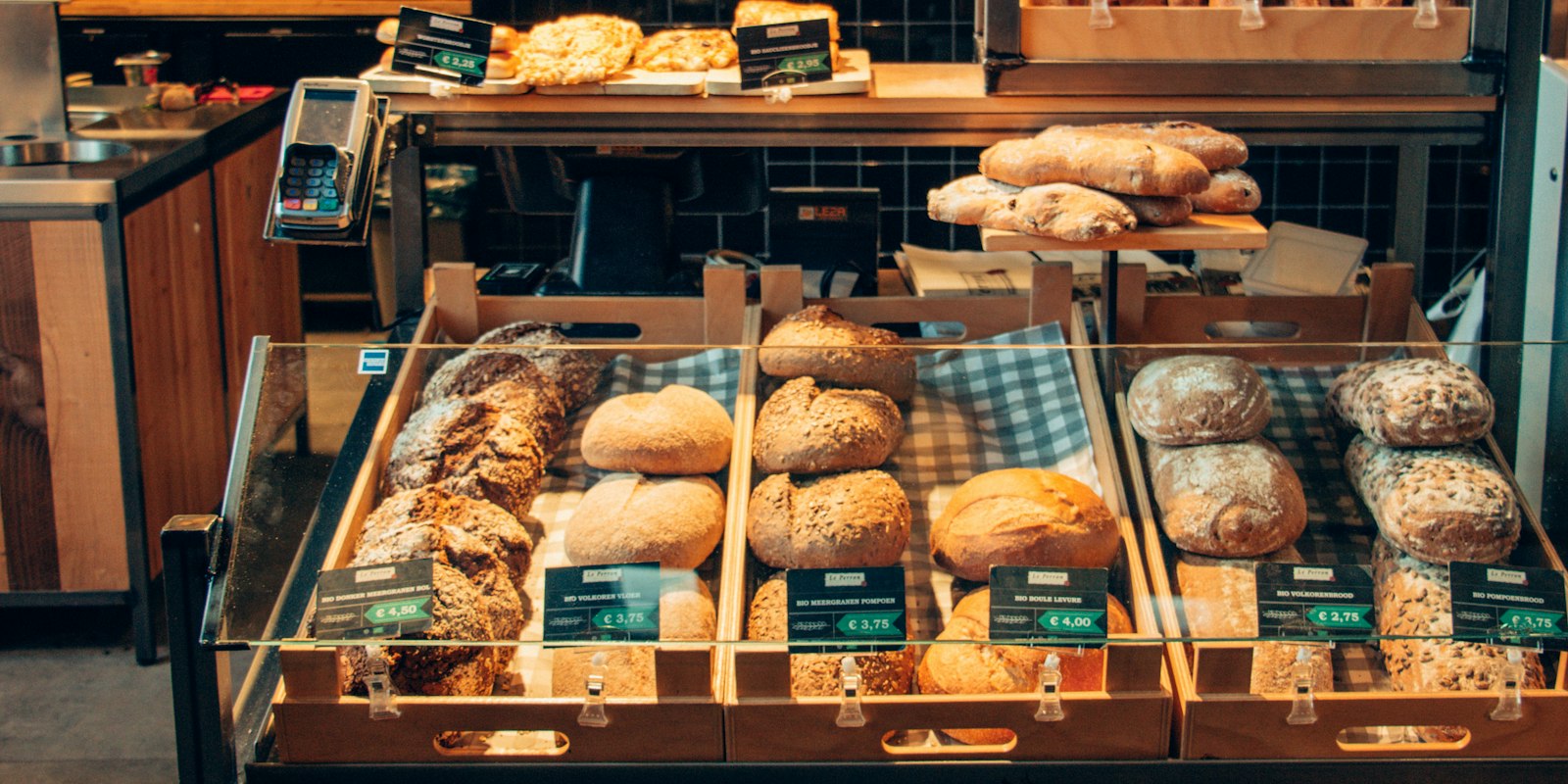
Then comes your trade. A tradesperson needs projects with photos. A hairdresser needs a price list. A clinic needs a page about what happens at the first appointment. We've collected the pages each trade usually needs, with suggested layouts for everything from bakeries to accountants.
A blog is optional. It only pays off if you're going to write in it.
The home page: what, where and the next step
At the top of the home page, visitors should understand three things without scrolling: what you do, where you are and what they should do now.
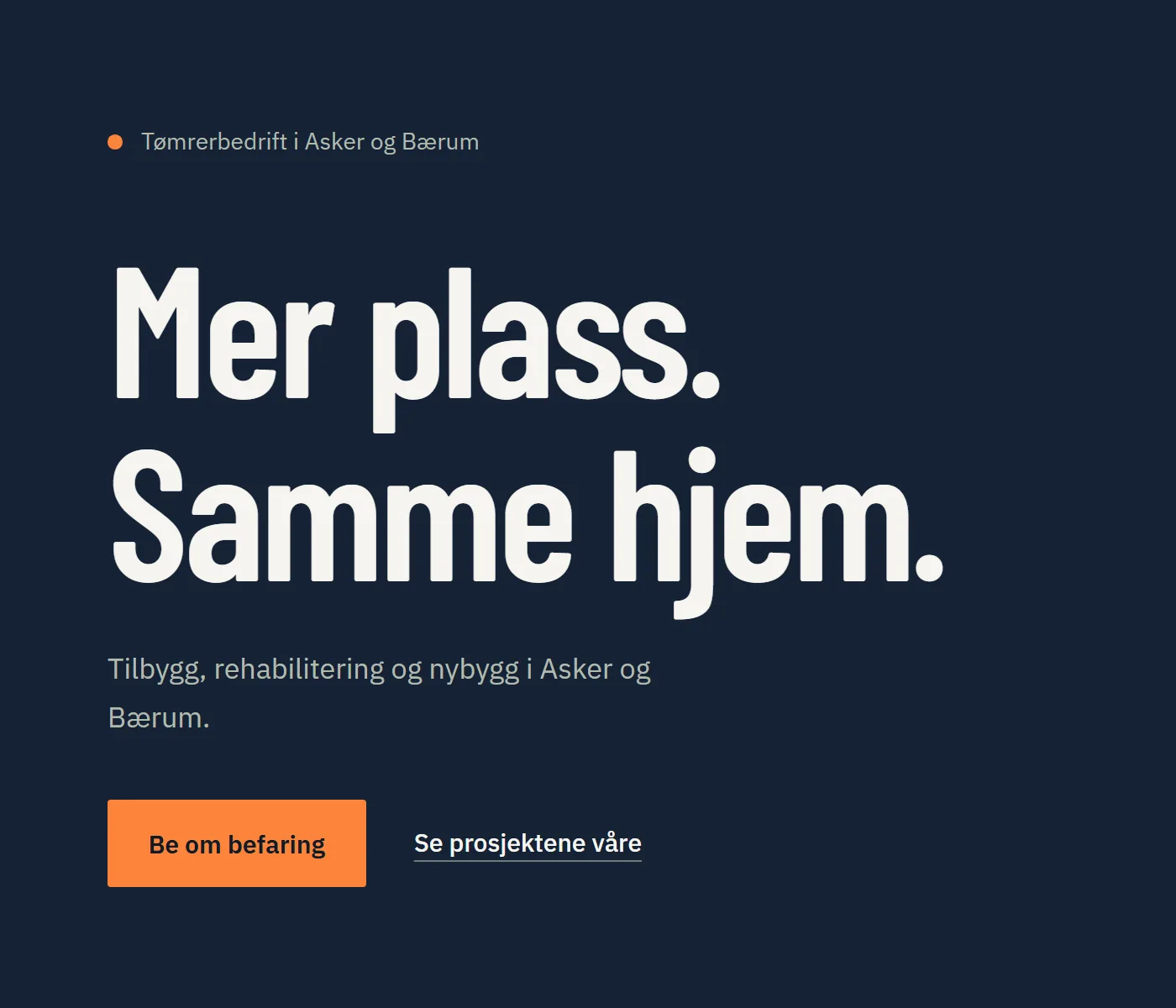
Lunvik Bygg uses a small line for its trade and area, a heading for the promise and a line for the services. The button says exactly what happens when you press it: you request a site visit. 'Contact us' would have been vaguer. 'Send' would have been worse.
A simple recipe if you're stuck: [what you do] in [area]. [One concrete promise]. [Button with the next step]. For an accounting firm, that might be 'Accounts and payroll for small businesses in Bodø. Same-day answers. Book a meeting.'
One page per service
Someone searching for 'tilbygg Asker' (extension Asker) wants to land on a page about extensions, not on a home page where extensions are one of six words in a bullet list. Google thinks the same way. That's why we recommend one page per service in our checklist for getting found on Google.
A service page answers five questions:
- What is it, in the words the customer uses?
- Who is it for, and who isn't it for?
- What affects the price, or what does it cost from?
- How long does it take?
- What's the next step?
Almost everyone skips the fourth question, and it's often the one the customer wonders about most. 'An extension of around 40 square metres usually takes us twelve weeks from site visit to handover' says more than three paragraphs about quality.
Projects: show it rather than write about it
For a tradesperson, the project pages are what people look at most. They work when they're concrete.
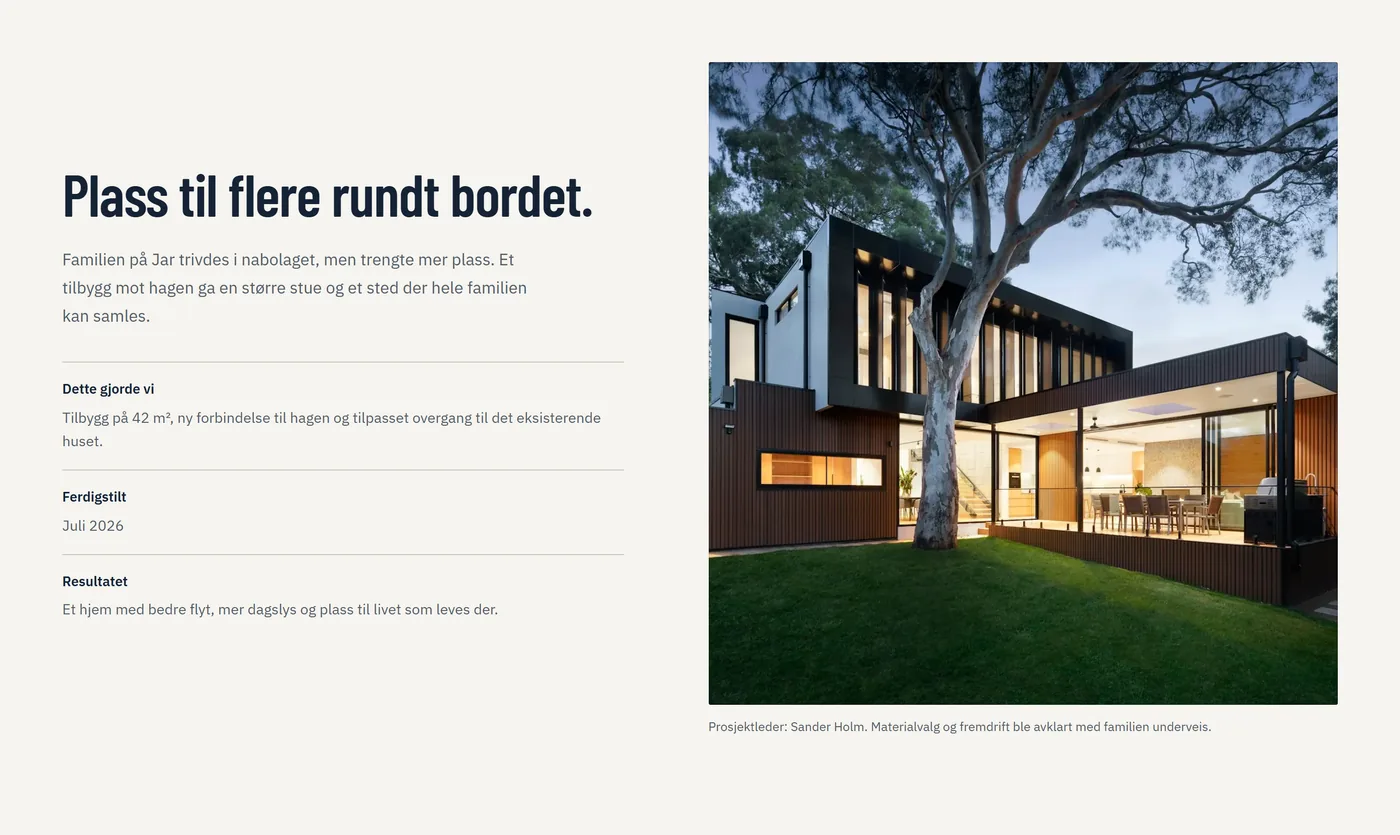
Note the details: 42 square metres, a new connection to the garden, completed July 2026, project manager Sander Holm. Figures and names like these are what separate a reference from an advert.
Use your own photos, and ask the customer before you publish photos of their home. Never write customer reviews yourself, and don't ask anyone else to. Fake reviews are always banned in marketing to consumers, and the Norwegian Consumer Authority (Forbrukertilsynet) has its own guidance on user reviews, in Norwegian.
The contact form: ask what you need in order to reply
A good form is short, but not empty. Ask for what you'll need to know before you can reply anyway, and you save a round of emails.
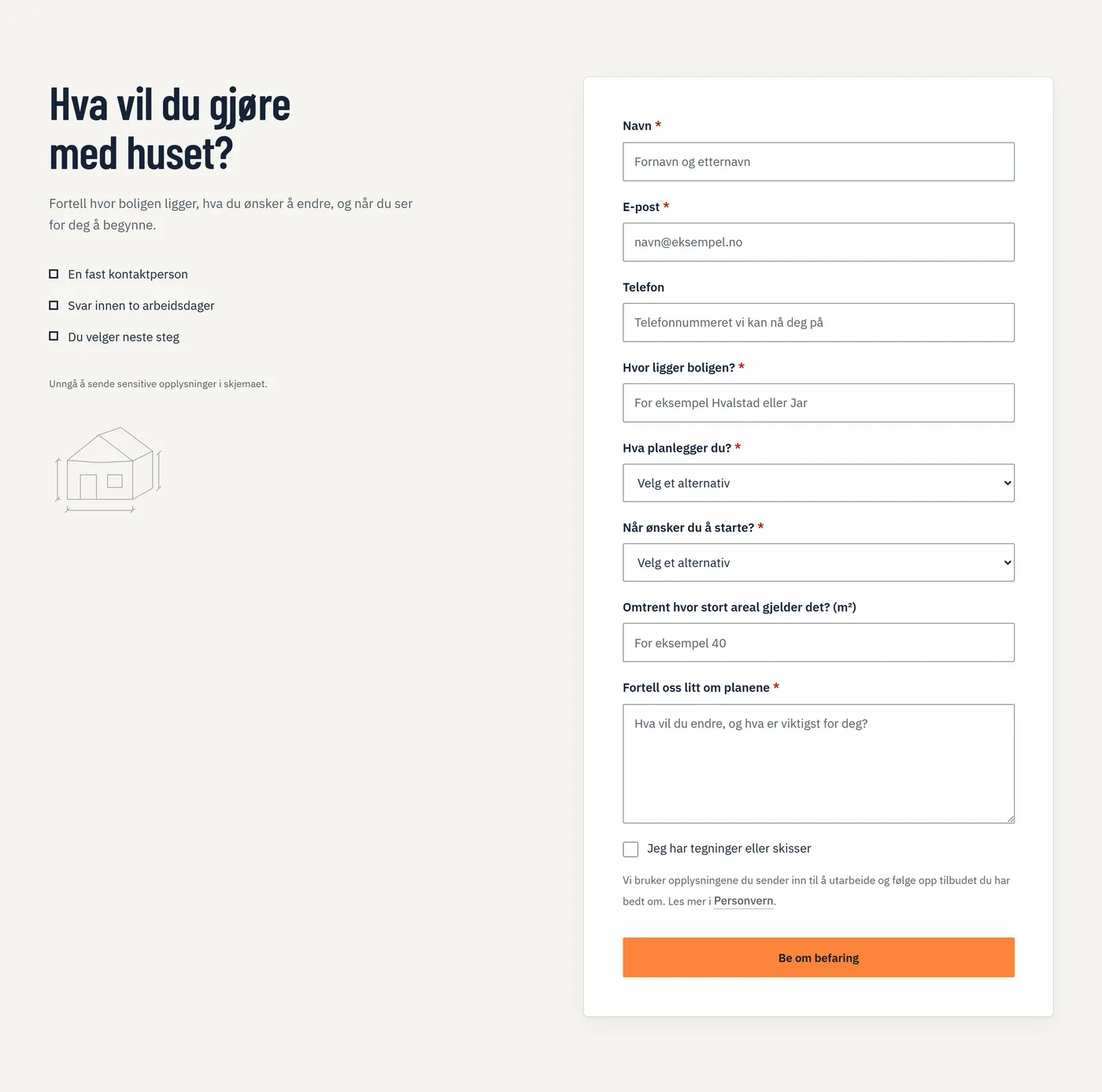
Lunvik Bygg asks where the home is, what you're planning and when you want to start, because that decides whether they can take the job. Phone is optional. And right above the button, it says what the details are used for, with a link to the privacy policy.
That line isn't decoration. If you collect names, email addresses and phone numbers, you have to say what you use them for. More on that below and in the post on cookie banners and privacy policies.
In Sitekit, submissions land in an inbox, and you get an email when a new one arrives.
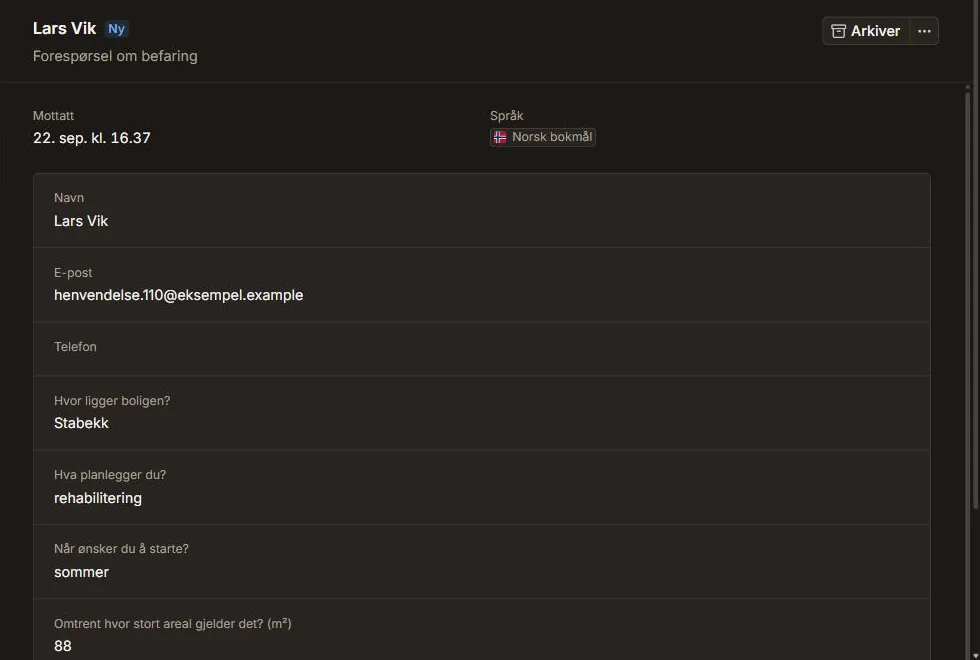
You build the form yourself, with fields for text, email, phone, numbers, dates, drop-down lists and checkboxes. Here's how forms and the inbox work.
What the law requires of your website
Four rules apply to almost anyone who runs a business and has a website. None of them takes long to follow, but they're often forgotten. The laws and guidance linked below are in Norwegian.
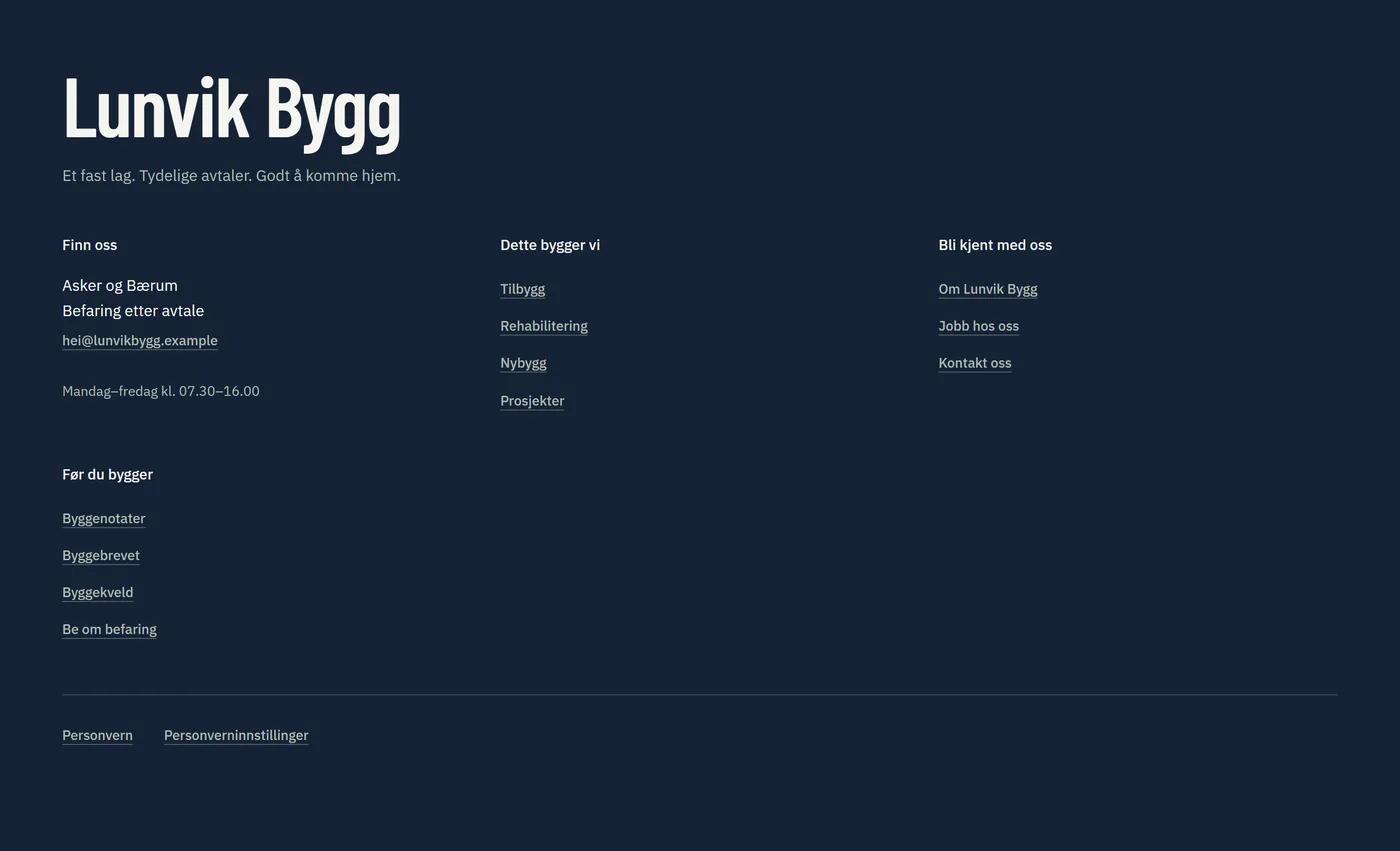
Who you are and how people reach you. Section 8 of the E-Commerce Act (ehandelsloven) requires your name, address, email address and enough information for people to contact you directly. It must also state which register the business is in, its organisation number and whether you're registered for VAT. If the business needs a public authorisation, that must be given too. The Norwegian Consumer Authority has made clear that this information must be easy to find from every page and that the phone number belongs with it. The footer is the natural place.
The organisation number. Since 1 January 2026, the rule has been in Section 7-2 of the Central Coordinating Register for Legal Entities Act (enhetsregisterloven): your website must show the organisation number and the name of the business. That applies to sole proprietorships too. A limited company must also give the register it's listed in, its company type and where its head office is.
Prices. If you sell services to private individuals, your prices must include VAT, and if you have a website, an up-to-date price list must be on it too. If you can't give a fixed price, as with an extension, you must explain how the price is calculated. That's in Sections 3, 10 and 11 of the Price Information Regulations (prisopplysningsforskriften).
Privacy. If you collect personal data, you must say who is responsible, what the data is used for and how long it's kept, at the moment you collect it. The Norwegian Data Protection Authority (Datatilsynet) lists what the information must contain. In Sitekit, the privacy policy is written from the forms and content on your site, and it's updated when you add something new. But you are the one responsible for the data, and you should read it through.
This isn't legal advice. If you're unsure what applies in your trade, ask your trade association or a lawyer.
How to set it up in Sitekit
You don't need to start with a blank page. Our themes come with ready-made pages for the trade. The two themes for building contractors, Bærebjelke and Byggeloggen, have pages for services, projects, site visits, about us and a blog, for example, and you can see what we set up for builders before you choose.
On the free plan you build one website like that yourself, and swap the sample text for your own. Here's how to make a free website that looks professional, step by step. With Standard you describe the business in your own words, and the AI plans the pages and writes the first draft. You'll have to read the copy through either way. Only you know whether it takes twelve weeks.
You can borrow the design from a theme. The facts about your own business you can't borrow from anyone.