Norsk
Search for 'make a website for free', and nearly every result promises the same thing. Read the terms, and you'll see they mean three different things.
With some, building is free, but you pay on the day the site goes online. With others, the site goes online, but with adverts for the platform on your pages and a long address under their domain. And with some, us among them, the site is online for free without adverts, at an address under sitekit-sites.no and with a small badge at the bottom saying who made it.
None of these is a trick, but they are three very different things to send your customers to.
What gives a free website away
It's rarely the design. Modern templates look good, the free ones included. What gives a free website away is the details around it:
- The address.
frisorlise.sitekit-sites.noworks fine in a text message. On the van and the business card,frisorlise.nolooks more established. - Adverts for someone else. Ads for the platform in the middle of your page are the clearest sign of all.
- Sample content that was left in. 'Service 1', a photo of a breakfast buffet on a plumber's site, or a managing director with a completely different name from yours.
- Stock photos. The smiling team in suits that none of your customers has ever met.
- The email address. A Gmail address in the footer makes the rest of the site look less considered than it is.
On our free plan, two of these remain, and they're there on purpose. The address sits under sitekit-sites.no, and the bottom of every page says the website was built with Sitekit. Those are the two things you pay to remove. Everything else is up to you, on the free plan too.

Four things that matter more than the design
You notice the address and the badge on your own site. Your customers look for other things.
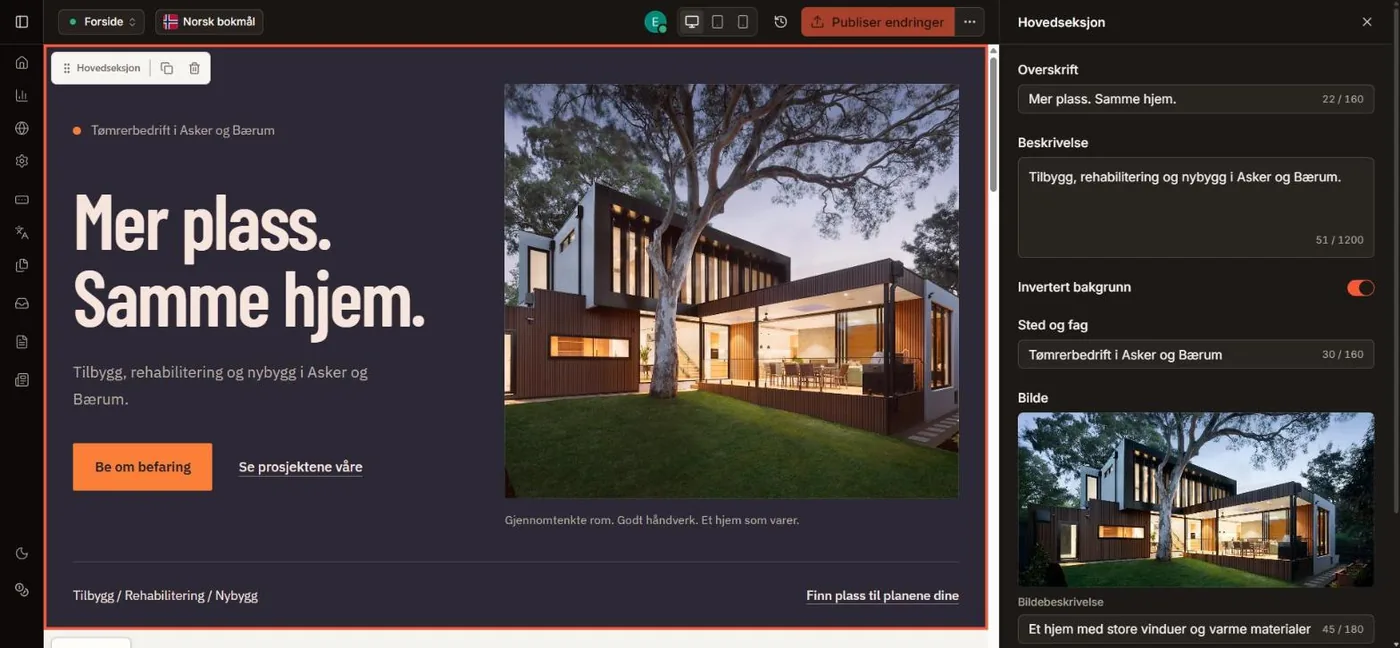
The first screen answers three questions. What do you do, where are you and what do I do now? If the answers are at the top, without anyone having to scroll, you've done the most important job. Lunvik Bygg, a fictional firm we use to show what Sitekit does, manages it with three lines and one button.
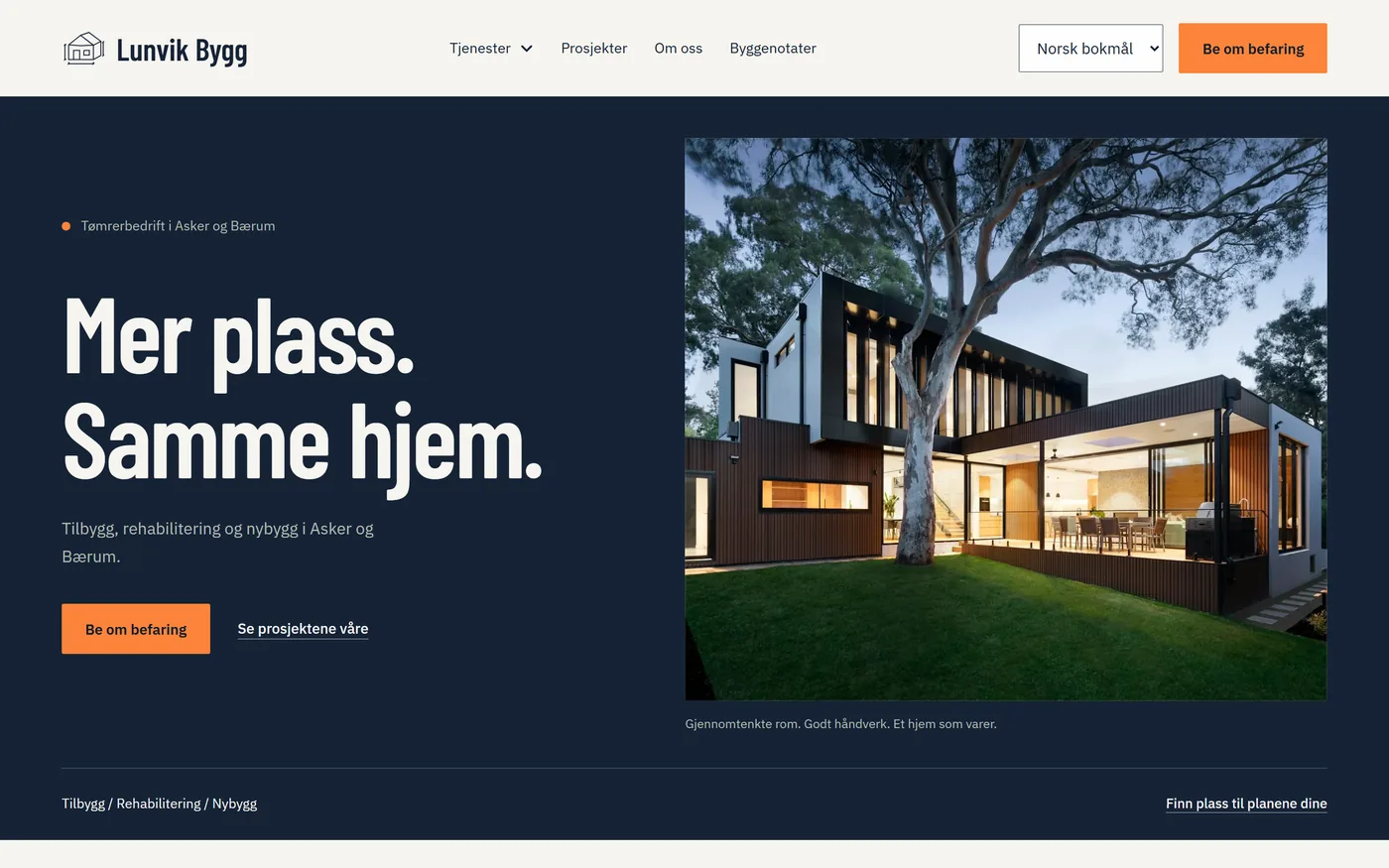
Notice what isn't there: 'Welcome to our website'. That sentence answers none of the three questions.
Your own photos beat pretty photos. A photo of you in the salon or the workshop, taken on your phone in daylight, does more for trust than the best stock photo. Customers want to see who's behind the business.
Copy with numbers in it. 'Quality and service' is on every website. 'A reply within two working days' and '42 square metres in twelve weeks' are only on yours. Write what you promise, and write it with numbers.
Contact details without a search. Phone, email and address belong in the footer of every page, not only on the contact page. We've written more about which pages and details a business website needs, including what the law requires.
Finally, test the site on your own phone and in PageSpeed Insights, Google's speed tool. Three long paragraphs on a computer become a wall of text on a phone. And a cookie banner that covers half the screen is often unnecessary: our analytics use no cookies, so the banner only appears when you add content from others, such as a map or a video. Here are the rules for cookie banners and privacy policies.
What you get free with Sitekit
The free plan is one website you build yourself from a ready-made theme. There's no trial period, and you don't need a payment card.
You get the visual editor, every theme, the theme studio for colours and fonts, forms with an inbox, a blog, visitor analytics, hosting with SSL and automatic SEO. You can also add more languages and write the translations yourself.
What isn't included is AI credits, your own domain and the option to remove the badge. We'll come back to those.
How to do it, step by step
1. Create an account. Press 'Start for free' on sitekit.no. The first time, you create a workspace, which is your business in Sitekit.
2. Create the website. Start a new website and type the name of the business, and an address is suggested from it. The address is the part before .sitekit-sites.no, and it can't be changed later, so spend a minute on it. The same goes for the main language. Then press Next.
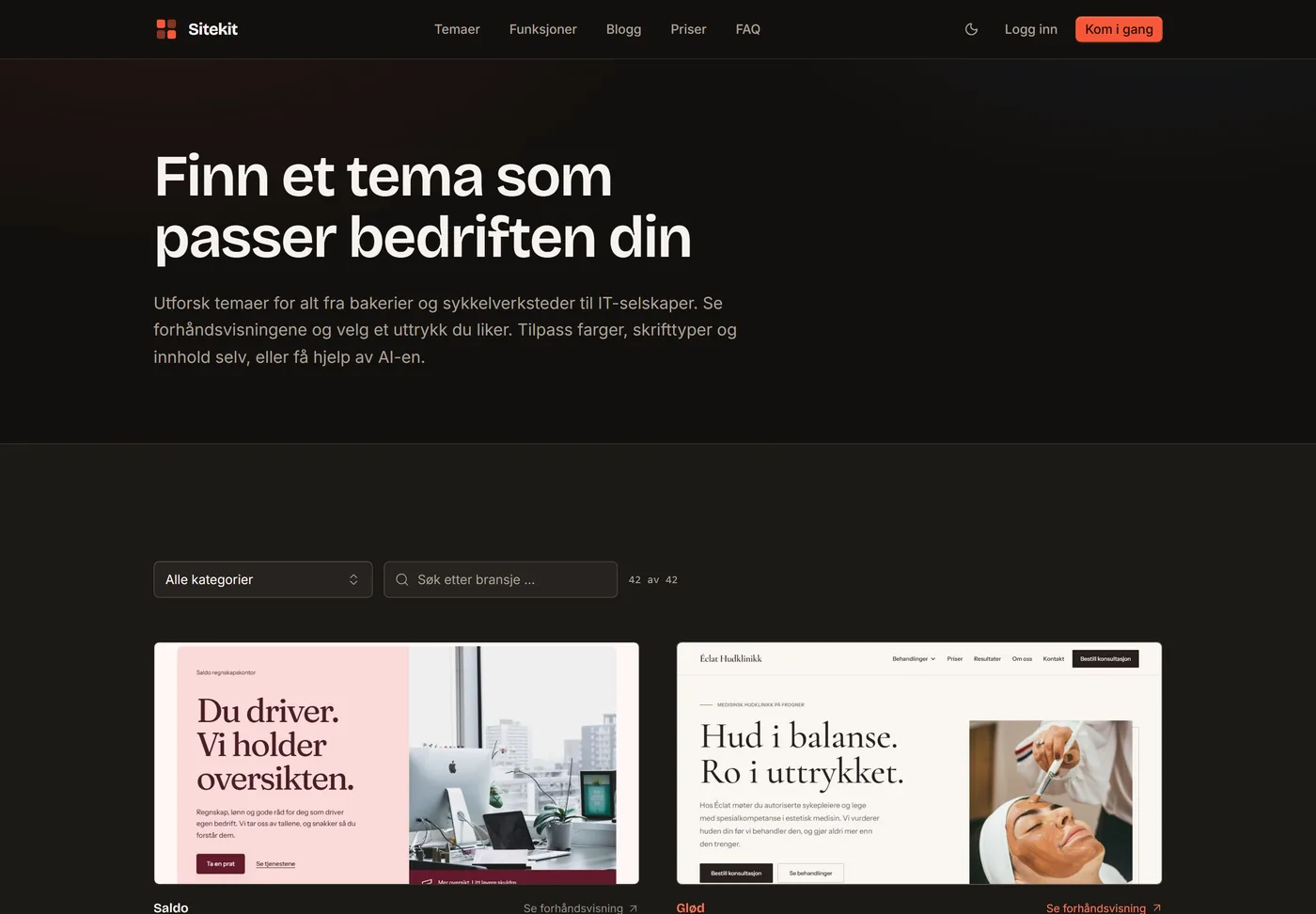
3. Choose a theme. The website opens straight away. Choose from the theme catalogue, and you'll see the sample site of the theme you pick. Switching costs nothing, as many times as you like. If you'd like to see the themes before you create an account, they're all in the theme gallery.
4. Start from the sample. When you finish with the theme and confirm, you get the sample's pages, text, forms and images as your starting point. That uses no AI credits.
5. Make the sample yours. Click a section and change the text and images in the panel beside it, and drag in blocks such as an image gallery, prices, questions and answers or a contact form wherever you want them. You adjust colours and fonts in the theme studio. If you regret a change, the earlier versions are saved.
6. Check the form. Enquiries from the contact form land in an inbox in Sitekit, and you get an email when a new one arrives. Submissions are deleted automatically after 90 days.
7. Turn the site on. Pages start as drafts, and the website is switched off until you're ready. Publish the pages and turn the website on, and it's live. The sitemap and metadata for Google are created automatically. What's left is adding the site to Google Search Console and working through the checklist for being found on Google.
When it pays to upgrade
The free plan is enough as long as the address and the badge don't bother you, and for many people they don't. A new business testing an idea, a club or a hairdresser who mainly needs a place for prices and opening hours can manage on it for a long time.
Standard costs NOK 199 a month, and it's worth it in four situations:
- You already have a domain, or want one. You connect it with SSL, and the site uses it as its main address. You buy the domain from a registrar. Here's how your own domain works with us.
- You want the badge at the bottom gone.
- You want the AI to write the pages and make the changes for you. Standard has 20 AI credits a month.
- You have a website today that needs moving. We fetch the text and images from the old site, and the old addresses send visitors on. How to move your website without losing your place on Google.
The plan is billed monthly, with no commitment. If you go back to free, nothing is deleted: the site stops answering on your own domain, and the badge comes back. If you want the full sums, we've written about what a website costs in Norway, over three years too.
The address in the browser is the first thing you notice yourself. Customers look for something else: whether you can help, and how easy it is to reach you. You can get that exactly right without paying a single krone.