
 Norsk
Website for guesthouses and small hotels
Guests want to see the room and know what their stay will be like. Describe the place, and the AI makes a room overview, practical information and a booking request. If you already have a booking system, the website can send guests there.
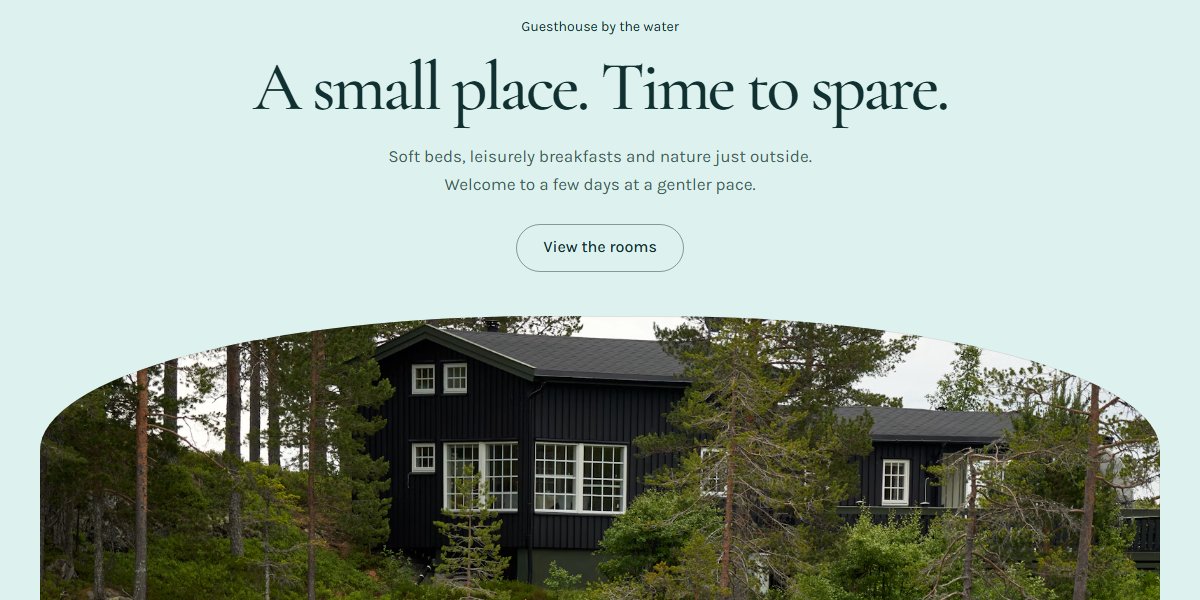
A theme built for guesthouses and small hotels
The preview shows how a room overview, a page for each room and practical information can fit together. Notice the space for photos of the place and the guide to the local area. The form takes booking requests; it doesn't show available rooms in real time.
The pages guesthouses and small hotels need
The room overview helps guests compare, and each room page explains the beds, the bathroom and how many people it sleeps. Gather arrival, breakfast and check-out in a practical guide. Use the page about the local area for concrete walks and their distances from the guesthouse.
- Rooms and prices
- Room details
- Breakfast and your stay
- Things to do nearby
- About the guesthouse
- Getting here and check-in
- Booking request
The suggestion has 7 pages. Add and remove pages as you like.
What makes the difference for guesthouses and small hotels
The advice below is for this industry, not websites in general. It applies just as much whether you build the site here or somewhere else entirely.
Show the room the guest will get
Use photos of each room type, with the bed, the bathroom and the view where it matters. Give the number of beds, whether the bathroom is private or shared, and whether the room is up a flight of stairs. A photo of the house alone doesn't help a family decide whether the room suits them.
Explain what the room price includes
Say whether the price is per room or per person, and which dates or seasons it applies to. List breakfast, bed linen, parking and any extras. Also describe the terms for changes and cancellations where the guest sends a request or goes on to book.
Write an arrival guide guests can use on the way
Gather the address, parking, nearest stop and check-in time on one page. Explain what guests should do if they arrive late and which number to use on the day they travel. Use distances and place names in your suggested walks, and the local guide stays useful after check-in too.
Questions guesthouses and small hotels ask
The answers are the ones we would give on the phone.
Is a request the same as a room booking?
No. A form collects the arrival and departure dates, the number of guests and the room type. You check availability and confirm the price and stay yourselves. Say this by the form and in the confirmation of receipt, so guests know whether they can plan their trip or need to wait for a reply.
Can the website show available rooms from our booking calendar?
The theme has no calendar that syncs room availability. You can link to the booking system you use. Showing availability on the website itself is something to check with that system's provider; an ordinary contact form doesn't keep track of rooms.
What should we translate for guests from abroad?
Prioritise room descriptions, what the price includes, directions, check-in and booking terms. Sitekit can make language versions, but check place names, times and practical details before you publish. Keep the same information about rooms and terms in every language.
How do we describe accessibility in a useful way?
Describe the entrance, stairs, lift, thresholds, bathroom and the distance from parking to the room as concretely as you can. Include photos and measured widths where they help guests judge their stay. Give a contact person who can answer questions about each room.
Other industries
Neighbouring industries have pages of their own, with their own themes and their own advice.
Website for bakeries and cafés
Show what's in the counter, when the café is open and how customers order for a party. The AI makes the pages from your description, with room for the menu, your own food photos and requests for cakes and larger orders.
See the industry pageWebsite for caterers
Tell us what your kitchen delivers, and the AI writes the menu pages, the event pages and the request form. The form asks for the date, the number of guests and allergies: the three things you need to know anyway.
See the industry pageWebsite for boatyards and winter storage
A quote for boat servicing starts with the boat, the engine and the work needed. Tell us what the yard takes on, and the AI sets up your services, storage and a request form that gives you something to price from.
See the industry page
Your website is one description away
Write a few sentences about your business, and you have somewhere to start.